
MyTax Portal & ezHASiL e-Filing Guide for Malaysian Freelancers 2026
Step-by-step walkthrough of LHDN's MyTax portal, Form B filing, digital certificates, PIN/TAC login, and common errors. Complete 2026 guide for self-employed tax filing.
Disclaimer: This article provides general information about Malaysian tax obligations. It is not professional tax, legal, or financial advice. For your specific situation, please consult a qualified tax advisor or certified public accountant. Disclosure: This article is published on the Denpyo blog. Denpyo provides receipt management and expense tracking services.
What is MyTax and ezHASiL?
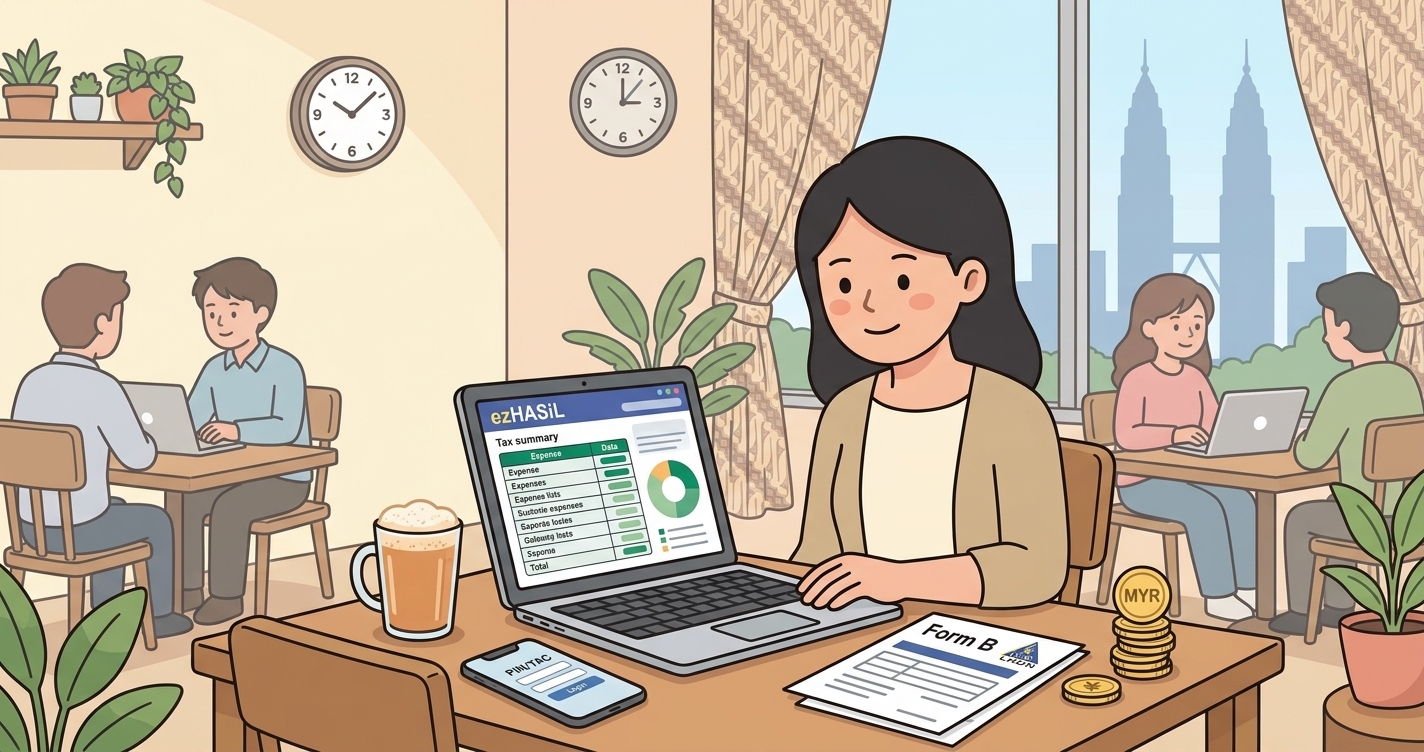
MyTax is Malaysia's official online tax portal run by LHDN (Lembaga Hasil Dalam Negeri Malaysia), the Inland Revenue Board. For freelancers and self-employed individuals, the portal provides access to ezHASiL, LHDN's e-filing system designed specifically for individual income tax returns. Think of MyTax as your gateway to everything tax-related in Malaysia — viewing your tax records, filing returns, making payments, and managing your tax account.
From the 2024 assessment year onward, manual paper filing is no longer accepted. All freelancers and self-employed individuals must file electronically through MyTax or face penalties. This shift has forced many solopreneurs to get familiar with digital filing, but once you understand the steps, it's actually faster and more reliable than paper.
Getting Your PIN and TAC: The First-Time Setup
Before you can access MyTax, you need two critical codes: your PIN (Personal Identification Number) and your TAC (Transaction Authentication Code). If you've never filed before, you'll need to register.
Step 1: Obtain Your TIN (Taxpayer Identification Number)
Your TIN is tied to your MyKad (Malaysian identity card) or passport. Visit your nearest LHDN office to register, or apply online if you already have a MyKad with a digital certificate. The TIN is your permanent tax identifier — you'll use it throughout your tax life in Malaysia.
Step 2: Register on MyTax and Set Up Your PIN
Go to mytax.hasil.gov.my and click "New User Registration". You'll need your TIN and MyKad details. During registration, you'll create a PIN (a 6-digit personal password). Protect this PIN like your bank password — anyone with your PIN and MyKad number can access your tax account.
Step 3: Get Your TAC (Transaction Authentication Code)
After PIN registration, LHDN will send a temporary TAC to your registered mobile phone via SMS. This TAC is valid for one transaction only and expires after 24 hours. You'll enter your TAC whenever you perform sensitive actions like filing your return or changing account details. Think of TAC as a one-time password that proves you're really you.
Filing Form B: Your Self-Employed Tax Return
Form B is the tax form for self-employed individuals and sole proprietors — it's your official income tax return. The deadline for 2026 filing (Year of Assessment 2025) is 15 July 2026. Late filing incurs penalties of up to 15% of unpaid tax plus interest.
What You'll Need to File
- Your PIN and TAC (from setup above)
- Your gross business income for the year (January 1 – December 31, 2025)
- All eligible business expenses (rent, utilities, supplies, professional fees, transport, etc.)
- Any other income sources (rental, dividend, bonus)
- Proof of expenses (receipts, invoices, bank statements)
- Your MyInvois e-invoice records if you issued any
Step-by-Step Filing in MyTax
1. Login to MyTax — Visit mytax.hasil.gov.my, enter your TIN, PIN, and request a TAC. You'll receive the TAC via SMS.
2. Navigate to e-Filing — Once logged in, go to "e-Filing" or "File Your Return". The system will show if you're required to file (usually if your income exceeds RM21,000 after personal relief).
3. Start Your Form B Return — Select "Form B" for self-employment income. The form has sections for:
- Personal details (confirm your address, contact info)
- Gross income from business (your total revenue before expenses)
- Business expenses (itemize or use summary)
- Net profit (gross income minus expenses)
- Other income sources
- Tax relief claims (personal, medical, education, etc.)
4. Enter Your Income and Expenses — Be honest and detailed. For a freelancer earning RM50,000, you might deduct RM15,000 in office rent, utilities, software subscriptions, and internet. LHDN may ask for supporting documents if your expense-to-income ratio looks unusual (e.g., claiming 80% of revenue as expenses).
Worked Example:
- Gross income (Jan–Dec 2025): RM50,000
- Office rental (12 months × RM1,000): RM12,000
- Utilities and internet: RM2,400
- Software subscriptions: RM1,200
- Professional fees and accountancy: RM1,500
- Transport and meals: RM1,800
- Total expenses: RM18,900
- Net income: RM31,100
- Personal tax relief (automatic): RM9,000
- Chargeable income: RM22,100
- Tax owed (at 3% bracket for this income): RM663
5. Claim Your Tax Reliefs — The system will automatically apply RM9,000 personal relief. You can also claim medical expenses, education fees, life insurance, EPF contributions, and other eligible reliefs. These reduce your chargeable income and lower your final tax bill.
6. Review and Confirm — MyTax will show your calculated tax liability. Review everything carefully — once submitted, amendments require filing an amended return.
7. Submit and Pay — Click "Submit". You'll need to enter a TAC again to confirm submission. LHDN will send you a filing receipt via email.
Digital Certificates and Security
If you're upgrading to a digital certificate (for higher-value e-invoicing or batch filing), you'll need to install a certificate on your computer. LHDN supports digital certificates for serious business users — they allow you to sign documents electronically. For most freelancers starting out, the PIN/TAC method is sufficient.
Common MyTax Filing Errors (And How to Avoid Them)
Error 1: "TIN Not Found" — You may not be registered with LHDN yet. Visit your nearest LHDN office or call their hotline to check your TIN status.
Error 2: PIN Locked After 3 Failed Attempts — If you enter your PIN wrong three times, MyTax locks your account for security. Go to the nearest LHDN office to unlock, or wait 24 hours.
Error 3: TAC Not Received — Ensure your phone number is registered with LHDN. If SMS is slow, try requesting TAC again (usually arrives within 30 seconds). Check your spam folder.
Error 4: "Income Below Filing Threshold" — If your net income after expenses is below RM21,000, you may not be required to file. However, if you want to claim refunds (overpaid tax), you should still file voluntarily.
Error 5: Expenses Too High Relative to Income — LHDN flags returns where expenses exceed 60-70% of income. If legitimate, keep detailed receipts to support your claim in case of audit.
Payment Methods and Due Dates
After filing, your tax bill is usually due immediately. MyTax accepts payment via:
- Online banking (direct transfer to LHDN account)
- Credit/debit card
- GIRO (automatic monthly installment if you request it)
If you owe RM2,000+, you can apply for GIRO installments through MyTax to spread payments over 12 months. Interest applies, but it gives cash flow relief for growing freelancers.
Amending Your Return
If you made a mistake after filing, you can submit an Amended Return through MyTax before the deadline (15 July). After the deadline, amendments are more complex — you'll need professional help from a tax agent or accountant. This is why careful review before hitting "Submit" is crucial.
How Denpyo Helps
Filing Form B becomes much easier when your expenses are already organized. Denpyo automatically categorizes scanned receipts into business expense categories accepted by LHDN — rent, utilities, supplies, professional fees, transport, and more. When filing season arrives, you have a complete, audit-ready record of all your expenses, with supporting images stored securely. No more scrambling through a shoebox of receipts at 11:59 PM on July 14th.
Summary
- MyTax is mandatory: All self-employed individuals must file Form B electronically by 15 July 2026 (no paper option).
- Get your TIN first: Register at LHDN, obtain your TIN, then register on MyTax to create your PIN.
- TAC is your security: You'll receive a one-time TAC via SMS for each major transaction — guard it like a password.
- Form B requires detail: Declare gross income, itemize expenses, claim reliefs, and submit before the deadline.
- Common mistakes are avoidable: Mismatched TIN, high expense ratios, and missing TAC codes are the top issues — read LHDN's guidance and test your login early.
- Try the Denpyo Expense Checker to validate deductibility of your business costs before filing.
Track expenses, maximize deductions
Denpyo scans your receipts and finds tax savings automatically.