
Understanding Your IRAS Notice of Assessment: Check, Object, and Pay (2026)
Your Notice of Assessment is your official Singapore tax bill. Learn how to read it, amend errors within 30 days, and pay via GIRO — with tips for self-employed and platform workers.
This article is general information for freelancers and small businesses, not professional tax advice. Singapore individual income tax is administered by the Inland Revenue Authority of Singapore (IRAS). Confirm your own position with IRAS or a tax adviser.
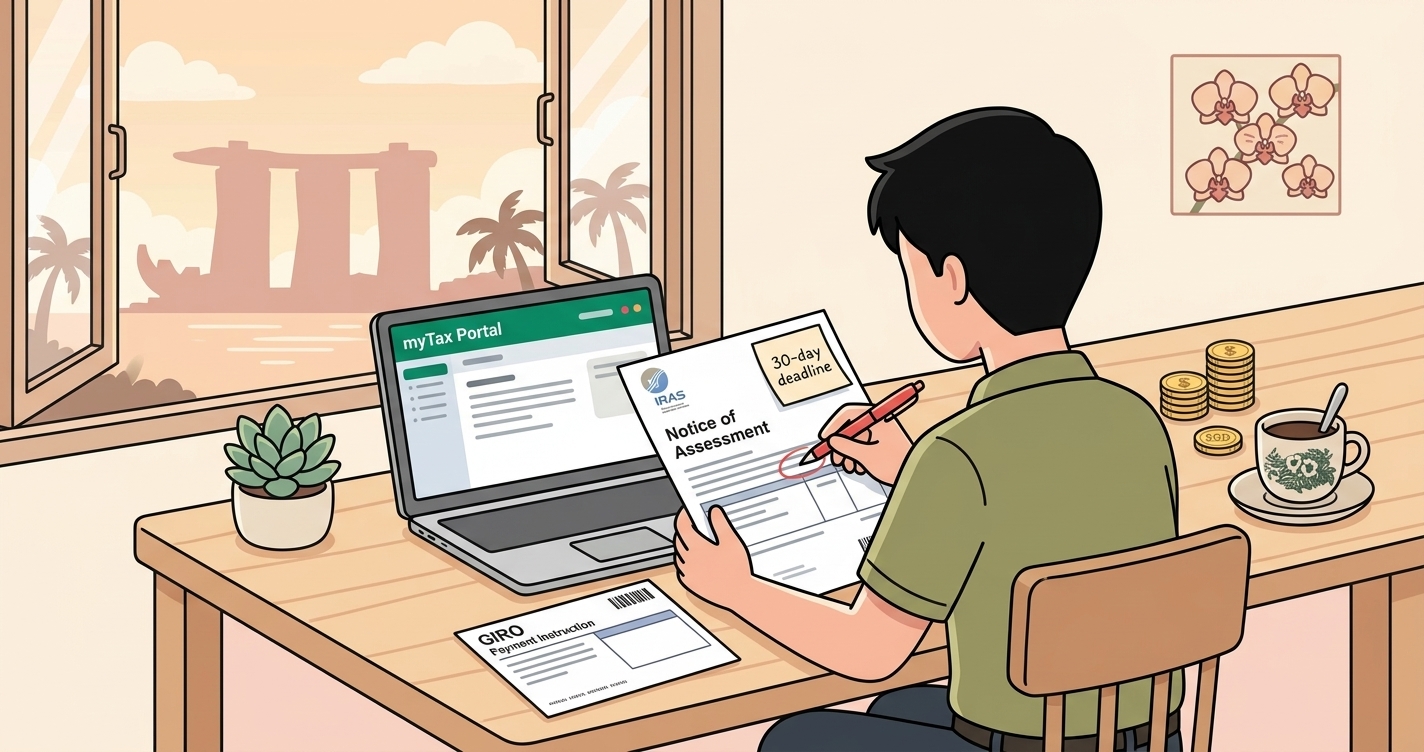
You filed your taxes — or you were placed on the No-Filing Service — and now a document called the Notice of Assessment (NOA) has landed in your myTax Portal inbox. For many Singapore freelancers and self-employed persons, the NOA is the moment the tax year becomes real: it is your official tax bill. Reading it correctly, checking it, and acting within the deadlines can save you penalties and recover money you are owed. Here is how to handle your NOA with confidence.
What the Notice of Assessment is
The NOA is IRAS's formal statement of how much tax you must pay for a Year of Assessment (YA 2026 covers income earned in 2025). It sets out your assessable income, the reliefs and deductions allowed, your chargeable income, and the tax payable. There are a few types you may see:
- Original NOA: your first tax bill for the year.
- Amended NOA: issued after a correction — for example, when you successfully object or update your details.
- Additional NOA: when extra tax is due after a revision.
- Repayment NOA: when you have overpaid and a refund is due.
For most individuals, tax bills are issued progressively from the end of April through September. Self-employed persons and platform workers placed on the Direct Notice of Assessment (D-NOA) or No-Filing Service may receive their bill earlier and are not required to file a return — but they must still verify it.
How to read your NOA
Work down the bill in this order:
- Income: for the self-employed, this is your net trade income (revenue minus allowable business expenses). Check it matches your own accounts.
- Reliefs and deductions: earned income relief, CPF/MediSave contributions, course fees, parent or child reliefs, and others. Missing reliefs mean you pay more than you should.
- Chargeable income: income minus reliefs — the figure your tax is calculated on, using Singapore's progressive 0–24% rates.
- Tax payable: the bottom line, after any rebates.
Before you accept the figure, it is worth re-deriving it yourself. A quick pass through an income tax calculator helps you sanity-check the chargeable income and tax, and the expense checker helps confirm which business costs should have reduced your trade income.
If something is wrong: object within 30 days
The NOA is not automatically final. If your trade income is overstated, you have income that is missing, or your relief claims are incorrect, you can request an amendment. Use the "Amend Tax Bill" digital service at myTax Portal, and do so within 30 days of the date stated on your tax bill. Outside that window, changes become harder, so check the NOA promptly rather than letting it sit.
IRAS sets out the process for corrections on its Making changes after filing/receiving tax bill page.
Paying your tax — and the GIRO option
Income tax is payable within one month from the date of your tax bill, even if you have lodged an objection (unless IRAS agrees otherwise). To smooth the cash-flow impact, the most popular option for the self-employed is GIRO: it splits your bill into up to 12 interest-free monthly instalments, or a one-time yearly deduction. Setting up GIRO early avoids the late-payment penalty that applies when tax is not settled on time.
If a credit balance arises — for instance after an amended bill — IRAS automatically refunds it, generally within 30 days of the new bill, so you usually do not need to chase a refund.
A quick scenario
Wei is a freelance photographer on the No-Filing Service. In March his D-NOA shows net trade income of S$72,000 but does not reflect S$6,000 of new equipment and software he expensed during the year. He:
- Checks the bill against his own records and spots the gap.
- Uses "Amend Tax Bill" within 30 days to update his allowable expenses, lowering his chargeable income.
- Sets up GIRO to spread the revised amount over 12 months.
Because his receipts were already captured and categorised, the amendment took minutes, not a weekend of digging through emails and pockets.
Why your records decide your NOA
Whether you file or rely on the D-NOA, the accuracy of your tax bill is only as good as your records. Every business expense you fail to capture is trade income you are taxed on unnecessarily — and every missing receipt is a deduction you cannot defend if IRAS asks. Singapore requires you to keep supporting records for five years.
Tools like Denpyo let you photograph a receipt the moment you pay, automatically pulling out the date, amount, vendor, and category, so your net trade income is right the first time. When the NOA arrives, you are checking it against clean books rather than reconstructing the year from memory — which makes both objecting and paying far less stressful.
Summary
Your Notice of Assessment is your official Singapore tax bill: read it from income down to tax payable, check it against your own records, and if anything is wrong use "Amend Tax Bill" within 30 days. Pay within one month — GIRO gives you up to 12 interest-free instalments — and expect automatic refunds for overpayments. Keep your receipts digital and current so every NOA, whether self-filed or a D-NOA, starts from accurate numbers. Always confirm the latest rules on the IRAS website.
Track expenses, maximize deductions
Denpyo scans your receipts and finds tax savings automatically.