
Furusato Nozei Tax Filing 2026: Complete Guide When One-Stop Exception Doesn't Work
Donated to 6 or more municipalities? Missed a One-Stop deadline? This comprehensive guide covers everything you need to know about filing your Furusato Nozei tax return, including e-Tax steps, deduction calculations, and common pitfalls to avoid.

Disclaimer: This article provides general information only and does not constitute tax or legal advice. Please consult a licensed tax professional for advice specific to your situation. Information is current as of January 2026.
Disclosure: This article is published on the Denpyo blog. Denpyo provides receipt management and expense tracking services.
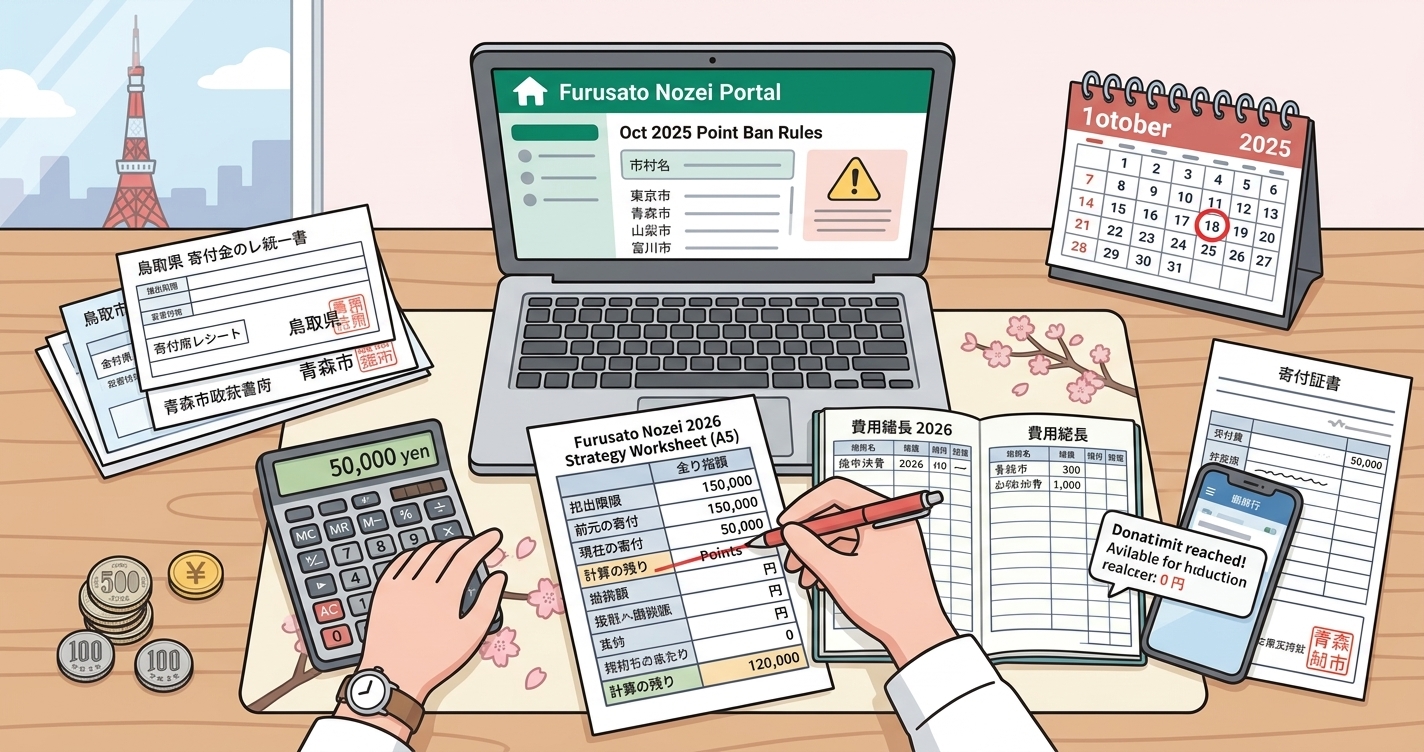
Furusato Nozei (ふるさと納税) is one of Japan's most popular tax benefits, allowing you to redirect a portion of your residence tax to municipalities of your choice while receiving local specialty gifts. For most donors, the One-Stop Exception (ワンストップ特例) makes the process effortless—no tax return required.
But what happens when the One-Stop Exception doesn't apply? If you've donated to six or more municipalities, missed a submission deadline, or need to file a tax return for other reasons, you'll need to handle Furusato Nozei through your annual tax filing. This guide walks you through everything you need to know.
How Furusato Nozei Deductions Work
Understanding the mechanics of Furusato Nozei deductions is essential for maximizing your tax benefits. The system works differently depending on whether you use One-Stop Exception or file a tax return.
The Deduction Formula
Your total deduction equals your donation amount minus 2,000 yen (the self-burden amount). This deduction is split between income tax and residence tax:
Furusato Nozei Deduction Breakdown
| Deduction Type | Calculation | Filing Method |
|---|---|---|
| Income Tax Deduction | (Donation - 2,000) × Income Tax Rate × 1.021 | Tax Return only |
| Residence Tax Basic Deduction | (Donation - 2,000) × 10% | Both methods |
| Residence Tax Special Deduction | (Donation - 2,000) × (90% - Income Tax Rate × 1.021) | Both methods |
| One-Stop Special Addition | Replaces income tax portion | One-Stop only |
Key Point: Same Total Benefit
Whether you use One-Stop Exception or file a tax return, your total tax benefit is the same. The difference is timing and mechanism:
- One-Stop Exception: 100% deducted from residence tax (June onwards)
- Tax Return: Split between income tax refund (after filing) and residence tax reduction (June onwards)
5 Cases When One-Stop Exception Doesn't Work
The One-Stop Exception is convenient but has strict requirements. Here are the five situations where you must file a tax return instead:
Case 1: Donations to 6 or More Municipalities
The One-Stop Exception only covers donations to five or fewer municipalities per year. If you donate to a sixth municipality, all your Furusato Nozei donations must go through your tax return—even the first five.
Example: Yamada-san donated to Hokkaido (twice), Okinawa, Kyoto, Nara, and Fukuoka. That's 6 municipalities (Hokkaido counts once regardless of donation frequency). All donations require tax return filing.
Case 2: Missed One-Stop Submission Deadline
One-Stop applications must reach the municipality by January 10th of the following year. If you donated in December and the paperwork doesn't arrive in time, you lose One-Stop eligibility for that donation.
Case 3: Required to File Tax Return for Other Reasons
If you must file a tax return for any of these reasons, One-Stop Exception is automatically invalidated:
- Self-employed or freelance income
- Annual income exceeding 20 million yen
- Income from two or more employers
- Medical expense deduction claims
- First-year housing loan deduction
- Capital gains from stock or real estate sales
- Side income exceeding 200,000 yen
Case 4: Change of Address After One-Stop Submission
If you move after submitting One-Stop applications but before January 1st, you must notify each municipality of your new address. Failure to do so invalidates the One-Stop Exception.
Case 5: Incorrect Information on One-Stop Application
Errors in your My Number, name, or address on the One-Stop application can cause rejection. Always verify your submissions through each municipality's confirmation system.
Furusato Nozei Deduction Limits by Income
Your deduction limit depends on your income, family situation, and other deductions. Exceeding this limit means paying the excess out of pocket without tax benefits.
Estimated Annual Donation Limits (Single, No Dependents)
| Annual Income | Estimated Limit | Self-Burden |
|---|---|---|
| 3,000,000 yen | 28,000 yen | 2,000 yen |
| 4,000,000 yen | 42,000 yen | 2,000 yen |
| 5,000,000 yen | 61,000 yen | 2,000 yen |
| 6,000,000 yen | 77,000 yen | 2,000 yen |
| 7,000,000 yen | 108,000 yen | 2,000 yen |
| 8,000,000 yen | 129,000 yen | 2,000 yen |
| 10,000,000 yen | 176,000 yen | 2,000 yen |
| 15,000,000 yen | 389,000 yen | 2,000 yen |
| 20,000,000 yen | 564,000 yen | 2,000 yen |
Important: These are estimates for employees with no dependents. Your actual limit varies based on:
- Number of dependents (spouse, children, parents)
- Social insurance premiums paid
- Other deductions (medical expenses, life insurance, etc.)
- Income type (employment vs. business vs. investment)
Use the official simulator on Furusato Nozei portal sites or consult a tax professional for precise calculations.
e-Tax Filing Steps for Furusato Nozei
Filing Furusato Nozei through e-Tax is straightforward once you gather your documents. Here's the complete process:
Step 1: Gather Required Documents
- Donation Receipts (寄附金受領証明書): One from each municipality
- Withholding Certificate (源泉徴収票): From your employer
- My Number Card: For identity verification and electronic signature
- Bank Account Information: For refund deposit
Pro Tip: Use Denpyo to scan and organize your donation receipts. Our AI extracts municipality names, donation amounts, and dates automatically—making tax filing preparation effortless.
Step 2: Access the e-Tax System
- Go to the National Tax Agency's Kakutei Shinkoku site:
www.keisan.nta.go.jp - Select "作成開始" (Start Creation)
- Choose your submission method (e-Tax with My Number Card recommended)
- Log in using My Number Card + card reader or smartphone
Step 3: Enter Income Information
- Select "所得税" (Income Tax) return
- Enter employment income from your withholding certificate
- Add any other income sources (side jobs, investments, etc.)
Step 4: Enter Furusato Nozei Donations
- Navigate to "所得控除の入力" (Deduction Input)
- Select "寄附金控除" (Donation Deduction)
- For each donation, enter:
- Municipality name (寄附先の名称)
- Donation date (寄附年月日)
- Donation amount (寄附金額)
- Donation type: Select "都道府県、市区町村に対する寄附金(ふるさと納税)"
- Repeat for all municipalities
Step 5: Review and Submit
- Review the calculated refund amount
- Enter bank account details for refund
- Digitally sign with My Number Card
- Submit electronically
- Save the receipt data (受付番号) for your records
Step 6: What Happens Next
Post-Filing Timeline
| Event | Timing |
|---|---|
| Income tax refund deposited | 1-2 months after filing |
| Residence tax notice received | May-June |
| Reduced residence tax payments begin | June |
One-Stop Exception vs. Tax Return: Complete Comparison
Choosing between One-Stop and tax return filing depends on your situation. Here's a detailed comparison:
One-Stop Exception vs. Tax Return Filing
| Factor | One-Stop Exception | Tax Return |
|---|---|---|
| Municipality Limit | 5 municipalities max | Unlimited |
| Application Deadline | January 10th | March 15th |
| Paperwork Per Donation | One-Stop form + ID copy | Keep receipt only |
| Deduction Type | Residence tax only | Income tax + Residence tax |
| When Benefits Applied | June (residence tax) | Refund (1-2 months) + June |
| Total Tax Benefit | Same | Same |
| Effort Level | Per-donation submissions | One annual filing |
| Other Deductions | Cannot combine | Can add medical, etc. |
| Best For | Employees with ≤5 donations | Multiple donations or deductions |
When Tax Return is Actually Easier
Despite requiring more upfront effort, filing a tax return can be simpler in these scenarios:
- Many donations: One tax return beats 10+ One-Stop submissions
- December donations: More time to gather documents (March vs. January)
- Multiple deductions: Combine Furusato Nozei with medical expenses, housing loan, etc.
- Income tax refund desired: Get money back faster than waiting for June
Common Furusato Nozei Filing Mistakes
Avoid these frequent errors that can reduce or eliminate your tax benefits:
Mistake 1: Mixing One-Stop and Tax Return
Problem: Submitting One-Stop for some donations, then filing a tax return for others.
Result: One-Stop submissions are invalidated. If you don't include ALL donations in your tax return, you lose those deductions.
Solution: If filing a tax return, include every Furusato Nozei donation—even ones with submitted One-Stop applications.
Mistake 2: Exceeding Your Deduction Limit
Problem: Donating more than your calculated limit allows.
Result: Excess donations are out-of-pocket expenses with no tax benefit.
Solution: Calculate your limit before donating. Build in a 10-20% safety margin for income fluctuations.
Mistake 3: Wrong Deduction Category in Tax Return
Problem: Entering Furusato Nozei under general charitable donations instead of the specific Furusato Nozei category.
Result: Missing the special residence tax deduction—significantly reduced benefit.
Solution: Always select "都道府県、市区町村に対する寄附金(ふるさと納税)" as the donation type.
Mistake 4: Lost or Missing Receipts
Problem: Cannot find donation receipts at tax filing time.
Result: Cannot claim the deduction without proof.
Solution: Request reissue from municipality immediately. Use the "寄附金控除に関する証明書" consolidated certificate from Furusato Nozei portal sites if available.
Mistake 5: Donating in Someone Else's Name
Problem: Making donation from spouse's credit card or in different name than tax filer.
Result: Donation cannot be claimed—names must match exactly.
Solution: Always donate using your own name and payment method. The person claiming the deduction must be the donor.
Mistake 6: Forgetting About Address Changes
Problem: Moving after donations but before year-end without notifying municipalities.
Result: One-Stop submissions fail; residence tax deduction may be applied to wrong municipality.
Solution: Submit change of address forms to all municipalities where you submitted One-Stop applications.
Frequently Asked Questions
Q: I submitted One-Stop applications but now need to file a tax return. What happens?
A: Your One-Stop applications are automatically invalidated when you file a tax return. You must include all Furusato Nozei donations in your tax return to receive the deductions. Don't worry—the total benefit remains the same.
Q: Can I file a tax return just for Furusato Nozei if I'm a regular employee?
A: Yes. Even if you're not required to file, you can voluntarily file to claim Furusato Nozei deductions (especially if you donated to 6+ municipalities). The e-Tax system handles employment income easily with your withholding certificate.
Q: What if I donated more than my deduction limit?
A: The excess is simply an out-of-pocket donation. You still receive the gifts and support the municipality, but there's no additional tax benefit beyond your limit. The 2,000 yen self-burden applies regardless of whether you exceed your limit.
Q: Do I need to keep the actual gift receipts?
A: No. The gifts are separate from the tax deduction. You only need to keep the donation receipts (寄附金受領証明書) from each municipality for tax purposes. Keep these for 5 years in case of audit.
Q: Can I claim last year's Furusato Nozei donations I forgot to report?
A: Yes, through an amended return (更正の請求). You have 5 years from the original filing deadline to claim missed deductions. Gather your receipts and file the amended return through e-Tax.
Q: Is Furusato Nozei worth it for low-income earners?
A: It depends. Your deduction limit is smaller, so the gift value relative to the 2,000 yen self-burden matters more. Calculate carefully—if gifts are worth more than 2,000 yen and you can stay within your limit, it's still beneficial.
Q: What's the "consolidated certificate" (寄附金控除に関する証明書)?
A: Major Furusato Nozei portal sites (Satofull, Furunavi, Rakuten, etc.) can issue a single certificate listing all donations made through their platform. This simplifies tax filing—instead of entering each donation separately, you can use the XML data file with e-Tax.
Simplify Your Furusato Nozei Filing with Denpyo
Managing donation receipts from multiple municipalities can be overwhelming. Denpyo helps you stay organized throughout the year:
- Instant Receipt Scanning: Photograph donation receipts as they arrive—our AI extracts municipality names, amounts, and dates automatically
- Organized Digital Archive: All receipts searchable and accessible when tax filing time arrives
- Export Ready: Generate summaries of your donations for easy e-Tax entry
- Never Lose a Receipt: Digital backups mean no more frantic searches in January
🧮 Free Tax Calculators
Plan your Furusato Nozei strategy with our free tools:
- → Furusato Nozei Calculator – Calculate your optimal donation limit
- → Income Tax Calculator – Estimate your tax liability and refund
- → Filing Requirement Checker – See if you need to file a return
Key Takeaways
- One-Stop Exception fails with 6+ municipalities, missed deadlines, or required tax returns
- Total tax benefit is identical whether using One-Stop or tax return
- Filing a tax return can be simpler for heavy Furusato Nozei users
- Include ALL donations in your tax return—even those with One-Stop submissions
- Stay within your deduction limit to maximize benefits
- Keep donation receipts organized throughout the year
Furusato Nozei remains an excellent way to support local communities while receiving quality regional products. Whether you use One-Stop Exception or file a tax return, understanding the system ensures you receive your full tax benefits.

Track expenses, maximize deductions
Denpyo scans your receipts and finds tax savings automatically.