
Japan's Electronic Bookkeeping Law & Denpyo: Automate Your Compliance
How Denpyo automatically satisfies the 3 requirements of Japan's Electronic Books Preservation Act — with practical workflows for freelancers and small businesses.
Disclaimer: This article is for general informational purposes only and does not constitute tax or legal advice. Please consult a qualified tax professional for your specific situation.
Disclosure: This is an official Denpyo blog post. While we describe product features, all legal requirements are based on official NTA guidelines.
Introduction: "What Am I Actually Supposed to Do?"
"I've heard of the Electronic Bookkeeping Law, but does it apply to me?" "Are there really penalties for non-compliance?"
Since January 2024, digital storage of electronic transaction data has been fully mandatory in Japan. This applies to everyone from solo freelancers to small and medium businesses — if you file a tax return, you're covered.
"But what exactly do I need to do?" is the question we hear most often. The good news is that once you understand the requirements, compliance isn't that complicated. This article breaks down the basics of the Electronic Books Preservation Act (電子帳簿保存法) based on official NTA guidelines, and shows how Denpyo automates the heavy lifting.
What Is the Electronic Books Preservation Act?
Background and Purpose
The Electronic Books Preservation Act (電帳法) governs how business records and supporting documents can be stored digitally. Originally enacted in 1998, the 2022 and 2024 amendments dramatically expanded its scope. The NTA's dedicated portal has detailed explanations, but the essence is simple: bringing the law into the digital age so businesses can move from shoeboxes of paper receipts to efficient cloud-based record management.
What Changed in 2024
From January 2024, the following became mandatory (NTA: Electronic Transactions):
| Data Type | Requirement | Example |
|---|---|---|
| Electronic transaction data | Must be stored digitally (printing to paper is NOT acceptable) | PDF invoices received by email |
| Email invoices/receipts | Digital storage required | Cloud service billing statements |
| E-commerce receipts | Digital storage required | Amazon or Rakuten purchase history |
Note that scanning paper receipts for digital storage ("Scanner Storage") remains optional — but if you're tired of wrestling with piles of paper receipts, it's well worth adopting.
Who's Affected? — Yes, You Too
The law applies to sole proprietors (including freelancers), corporations (SMEs and startups), and salaried workers who file tax returns for side income. In short: if you file taxes, you're subject to this law.
As PwC Japan's compliance guide notes, there's no size exemption — "we're too small to worry about it" doesn't apply.
The 3 Requirements for Digital Storage
To store receipts and invoices digitally under the Electronic Books Preservation Act, you must meet three requirements set by the NTA. They sound technical, but let's walk through each one.
Requirement 1: Authenticity — Proving Data Hasn't Been Tampered With
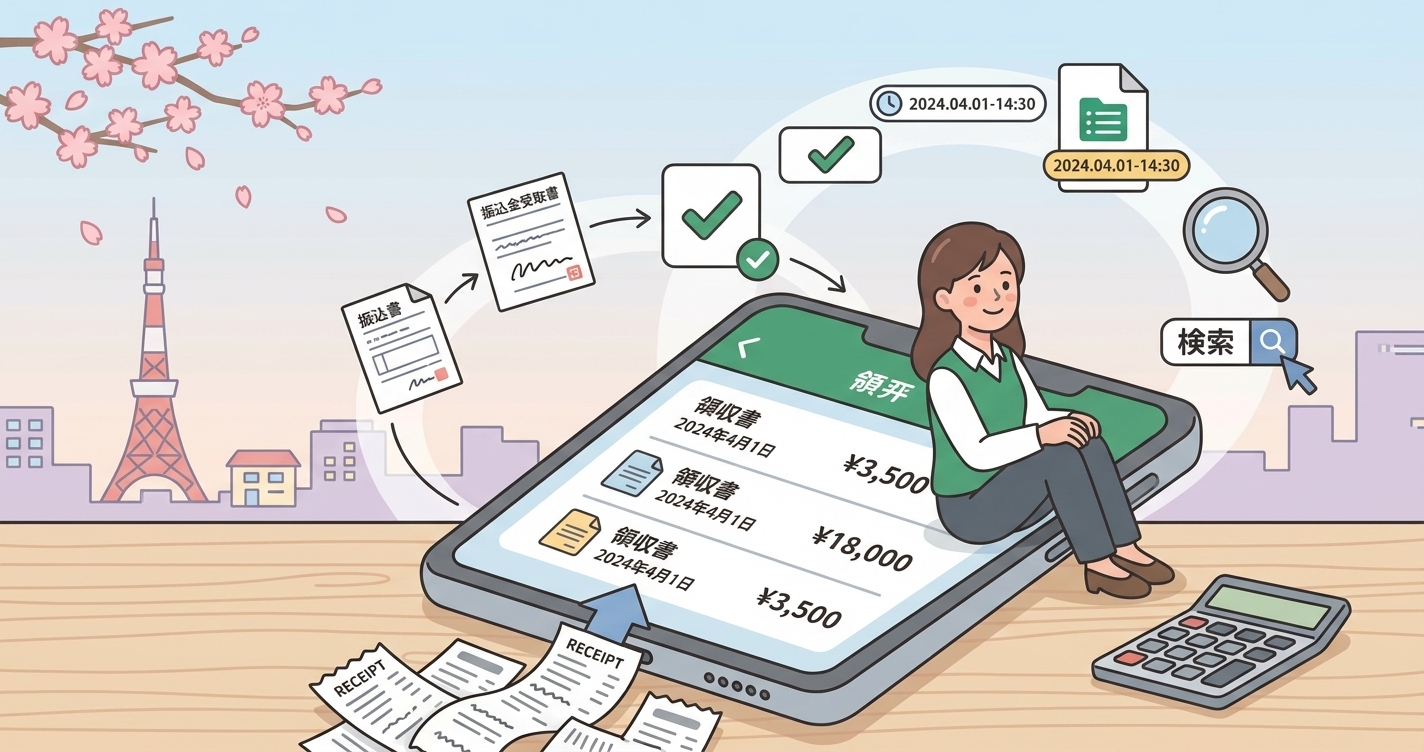
You need to prove that stored data hasn't been altered. This means timestamps on records, maintaining edit/deletion history, and tamper-prevention measures. For example, if you scan an invoice received on March 15th and a timestamp is applied that same day, it proves "this document existed on this date."
Requirement 2: Visibility — Data Must Be Viewable Anytime
Stored data must be accessible for viewing and output whenever needed. You need to be able to display records on screen or print them, and have system documentation available. For small businesses, being able to show records on screen during a tax audit is sufficient.
Requirement 3: Searchability — Finding What You Need
You must be able to search by three criteria: date, amount, and business partner. When an auditor asks "show me all convenience store receipts from January 2026," you need to pull them up immediately.
Per the NTA's Q&A document, small businesses with annual revenue under ¥10 million get relaxed search requirements if they can provide data downloads to auditors.
How Denpyo Automatically Meets All 3 Requirements
"OK, I understand the requirements, but handling all this myself sounds like a lot of work..." You're right — which is why Denpyo handles it automatically.
Authenticity ✅
Timestamps: Applied automatically the moment you scan a receipt. No manual action needed. Edit history: Every change — amount corrections, category updates — is automatically logged with who changed what and when. Tamper prevention: Once saved, data is protected in the cloud against unauthorized modification.
Visibility ✅
Always accessible: View saved receipt images and records from the dashboard anytime, from your phone or computer. Export options: CSV for accounting software and tax accountant sharing, PDF for printing and archival, and image files for viewing receipt originals. Sharing with your accountant is seamless.
Searchability ✅
All 3 criteria covered: Search by date range, amount (including ranges like ¥5,000–¥10,000), and vendor name — all from the dashboard. AI automatically extracts store names, so there's no manual data entry.
Your Actual Workflow: Just 2 Things to Do
With Denpyo, Electronic Books Preservation Act compliance is nearly automatic. You only need to do two things.
Step 1: Scan Your Receipts
Just scan receipts and invoices with Denpyo as you receive them. Three tips: scan as soon as possible (same day is ideal), capture clearly with the full document visible, and import electronic documents (email PDFs, e-commerce receipts) via screenshot.
For example, after a business lunch, snap the receipt with Denpyo right at the register. AI extracts the amount, date, store name, and category automatically — done in 30 seconds.
Step 2: Keep Your Data for 7 Years
Japanese law requires 7 years of record retention (NTA: Record Retention Periods). Data stored in Denpyo's cloud is preserved as long as you maintain your account. Free trial data carries over when you upgrade to a paid plan.
For Small Businesses: Team Workflow Tips
Small businesses with employees can benefit from Denpyo too. Each team member scans their own receipts, then the data is exported as CSV for your bookkeeper or tax accountant. No more collecting paper receipts in envelopes at month-end.
KPMG Japan's analysis confirms that early digitization delivers the biggest efficiency gains for small businesses.
Frequently Asked Questions
Q1. Can I throw away paper receipts after scanning?
If scanner storage requirements (authenticity, visibility, searchability) are met, you can legally dispose of originals. Denpyo-scanned receipts meet these requirements. However, if you're cautious, keep originals until after your tax return is filed.
Q2. What about digital receipts and invoices?
Email invoices and e-commerce receipts must be stored digitally — printing them to paper is not acceptable. With Denpyo, you can import screenshots and images to manage all records in one place.
Q3. What if a tax auditor asks to see my records?
Search and display any record instantly from the Denpyo dashboard. You can also export to CSV or PDF for the auditor. Since all searchability requirements are met, requests like "show me all transactions with this vendor during this period" can be handled immediately.
Q4. What happens if I don't comply?
Non-compliance risks include revocation of blue form (青色申告) approval and denial of input tax credits — especially relevant given the Invoice System. Check the NTA's electronic transactions Q&A for details.
Q5. Are sole proprietors really subject to this?
Yes — all sole proprietors are covered by the Electronic Books Preservation Act. If you file a tax return, you're subject to this law. Freelancers, side-business workers, sole proprietors — everyone.
Compliance Checklist
| Item | Denpyo Coverage | Your Action |
|---|---|---|
| Timestamps | ✅ Automatic | None |
| Edit history | ✅ Automatic | None |
| Date search | ✅ Built-in | None |
| Amount search | ✅ Built-in | None |
| Vendor search | ✅ Built-in | None |
| Receipt scanning | — | You scan |
| 7-year retention | ✅ Cloud storage | Keep paid plan active |
Summary
The Electronic Books Preservation Act sounds intimidating, but the actual requirements are straightforward: use a system that meets the 3 requirements (authenticity, visibility, searchability) and store your electronic data properly. Denpyo handles all three automatically — you just scan your receipts.
The new fiscal year has just started. It's the perfect time to digitize your expense management.
Try Denpyo free (3 scans, no account required)
Related Tools
- Expense Checker — Is this purchase deductible? AI decides instantly
- Tax Savings Calculator — Simulate your expense deductions
Related Articles
References
1. NTA: Electronic Books Preservation Act Portal 2. NTA: Electronic Transactions 3. NTA: Electronic Books Preservation Act Q&A 4. NTA: Record Retention Periods
Last updated: April 2026
Author: Denpyo Content Team
Track expenses, maximize deductions
Denpyo scans your receipts and finds tax savings automatically.