
Receipt Storage Requirements Guide for Japan 2026
You must keep receipts for a long time even after filing your taxes in Japan — 7 years if you are a blue return filer, 5 years for white return filers. This guide covers valid documents, digital storage rules, and what to do if you lose a receipt.
Disclaimer: This article provides general information only and does not constitute tax or legal advice. Please consult a qualified tax professional (zeirishi) for advice specific to your situation. Information is based on official National Tax Agency (NTA) sources and current as of February 2026.
Disclosure: This article is published by Denpyo, a receipt and expense management service for freelancers and sole proprietors in Japan.
Introduction: Why Receipt Storage Matters
"I've already filed my taxes with this receipt, so I can throw it away now, right?"
If you're a freelancer or sole proprietor in Japan, you might think filing your tax return means you're done with receipts. Unfortunately, that's not the case. You must keep receipts for a long time even after filing — 7 years if you're a blue return filer, 5 years for white return filers.
Why? Simple: tax audits. The National Tax Agency (NTA) can conduct an audit years after you file. When they ask "Show me proof of this expense," you'll need to produce a receipt. Without it, that expense won't be recognized, and you could face additional taxes (追徴課税).
What you'll learn in this guide:
- Why receipts must be kept 7 years (blue return) vs 5 years (white return)
- What documents count as valid proof (paper receipts, digital invoices, IC card history, bank statements)
- Electronic bookkeeping law requirements (電子帳簿保存法)
- What to do if you lose a receipt
- Best practices for digital receipt storage
- Common FAQs about receipt management
1. Receipt Storage Duration: Blue Return vs White Return
1.1 Basic Storage Rules
| Filing Type | Storage Period | If Lost |
|---|---|---|
| Blue Return (青色申告) | 7 years | Deduction lost; possible additional taxes |
| White Return (白色申告) | 5 years | Expense may not be recognized |
1.2 Blue Return: 7-Year Rule
If you file a blue return (青色申告), you're required to maintain detailed bookkeeping and keep receipts for 7 years. This includes:
- Account books (帳簿類)
- Receipts and invoices (領収書・請求書)
- Payment records (支払記録)
Why 7 years? It's based on the statute of limitations for tax audits:
- 3-year basic audit period
- Plus 4 additional years for potential tax fraud cases
- Total: 7 years from the filing date
Source: NTA Blue Return System
1.3 White Return: 5-Year Rule
White return filers (白色申告) have a shorter retention period of 5 years. This is the standard record-keeping period for simplified tax reporting.
Important note: Even though white return filing is "simplified," you still must keep complete records. The only difference is the retention period is shorter.
1.4 When Does the 7-Year (or 5-Year) Clock Start?
The retention period counts from the filing date of your tax return, not the date of the expense.
Example:
- You file your 2024 fiscal year tax return on March 15, 2025
- For receipts from that fiscal year, you must keep them until March 15, 2032 (7 years later)
Important: Some receipts may have different retention periods depending on the type of transaction (e.g., employee payroll records require only 3 years).
2. What Documents Count as Valid Proof?
2.1 Paper Receipts (紙の領収書)
Paper receipts are the most traditional and widely accepted form of proof.
What makes a receipt valid?
- Date — When you made the purchase
- Amount — How much you paid
- Merchant name — The shop or business that issued it
- Description of items/services — What you purchased
Storage tips:
- Use a paper clip or staple to keep receipts together
- Organize by month in envelopes labeled "February 2026 - Office Supplies"
- Keep in a safe, dry place for 7 years
- Avoid moisture and sunlight (ink fades)
Tip: If ink is fading, scan and save as PDF immediately.
2.2 Digital Receipts & Email Invoices (デジタル領収書)
Online shopping and digital services generate digital receipts. These are increasingly common and fully valid.
What makes a digital receipt valid?
- Includes date, amount, merchant, and description
- Email receipts are timestamped (proving when you received them)
- Available as PDF or screenshot
Storage methods:
- Email receipts: Create folders organized by month and type ("2026-02_Receipts")
- PDF receipts: Download and store in cloud storage with date-organized folders
- Screenshots: Include date/time information and store securely
Critical: Electronic Books Preservation Act (電子帳簿保存法)
Starting January 2024, the revised law requires that digital transaction data be stored electronically. This means:
- Digital receipts should be kept in digital format
- Paper printouts of digital receipts are less ideal
- Your storage system must include searchability (by date, amount, vendor)
- You must protect against data tampering
Source: NTA Electronic Books Preservation Act Overview
2.3 IC Card History (IC カード利用履歴)
Suica, Pasmo, and similar IC card records can serve as proof for transportation expenses.
When IC card history is useful:
- Train and bus fares (旅費交通費)
- Business travel costs
- Daily commute costs for business purposes (if properly documented as business travel)
Valid formats:
- Station ticket machines print "Usage History" (利用履歴)
- Suica/Pasmo mobile app transaction records
- IC card inquiry receipts from stations
Storage method:
- Take photos/screenshots with date notes
- Keep the printed receipt if you obtain one from the station
2.4 Bank Statements & Transaction History (銀行の取引履歴)
When you pay by bank transfer, your bank statement becomes valid proof.
Valid documents:
- Bank passbook entries
- Online banking transaction records (Internet banking)
- Monthly bank statements sent by mail
- Screenshots from banking apps with dates visible
When bank records are useful:
- Payment to regular suppliers
- Office supply subscriptions
- Monthly service fees (cloud hosting, software subscriptions)
- Business loan payments
Credit Card Statements are also valid — When you pay by credit card, keep the card statement as proof. This works especially well for regular subscriptions.
3. What If You Don't Have a Receipt?
3.1 Can You Claim Expenses Without a Receipt?
"I lost my receipt. Can I still claim the expense?"
Short answer: It's much harder, but not impossible under certain circumstances.
Why receipts matter: The NTA's fundamental principle is that all expenses must be backed by objective evidence (receipts or equivalent documentation). Without proof, the tax authority has no reason to allow the deduction.
3.2 Alternative Documents That May Substitute
If you don't have the original receipt, these alternatives might be accepted:
| Document Type | Useful When | Requirements |
|---|---|---|
| Bank statement | Paid by transfer | Date, amount, and payee name visible |
| Credit card statement | Paid by credit card | Date, amount, and merchant name clear |
| IC card history | Train/bus payment | Date and amount shown; from official source |
| Invoice from vendor | Subscriptions/regular services | Date, amount, and service description |
| Order confirmation email | Online purchase | Date, amount, and item description |
| Payment slip | Cash payment | Self-created; must include all details |
Important: Alternative documents work best when supported by multiple pieces of evidence.
3.3 The Tricky Case: Cash Payment with No Receipt
The most problematic situation: you paid in cash, didn't get a receipt, and have no bank record.
Your options:
- Request a receipt from the merchant: If recently purchased (within 3 months), some merchants will reissue a receipt. Call the shop and explain; they may generate a receipt from their system
- Gather supplementary proof: Email correspondence confirming the purchase, photos of the product, credit/debit transaction if any portion was electronic
- Create a payment memo: Write down date, amount, payee, purpose. This is less reliable than an actual receipt, but may be accepted if supplemented with other evidence
- Consult a tax professional: For large amounts, expert guidance is essential
Tax audit reality: Examiners will scrutinize high-value expenses without receipts. For amounts under ¥5,000 with reasonable explanation, you have better odds.
3.4 What NOT To Do
Never claim large expenses without documentation
- Above ¥100,000 without proof = red flag for auditors
Never alter or fabricate receipts
- This is fraud. Penalties include additional taxes + late fees + fraud penalties (重加算税)
Never claim the same expense twice
- Recording one expense in two categories = tax evasion
4. Electronic Bookkeeping Law: 2026 Requirements
4.1 What is the Electronic Books Preservation Act?
In January 2024, the Japanese government revised the Electronic Books Preservation Act (電子帳簿保存法), requiring that all digital transaction records must be stored electronically.
This affects:
- Email receipts from online shopping
- PDF invoices from e-commerce sites
- Digital subscription confirmations
- Credit card transaction notifications
- Bank transfer notices
What's NOT affected:
- Paper receipts you physically received
- Paper invoices from in-person transactions
4.2 Digital Storage Requirements
When you store receipts electronically, your system must meet these criteria:
| Requirement | Details |
|---|---|
| Retention period | 7 years from transaction date |
| Searchability | Ability to search by date, amount, vendor |
| Integrity | Protection against modification (timestamp, audit trail) |
| Accessibility | Ability to display contents (PDF view, etc.) |
| Storage location | Cloud storage, external drive, or local server |
4.3 Practical Digital Storage Methods
Method 1: Email Organization (Email Folder System)
Use Gmail or Outlook's folder/label features to organize receipts by month.
Pros:
- Built-in search
- Free
- Easy to find by date
Cons:
- Email accounts can be compromised
- Storage limits
- Less organized than dedicated systems
Method 2: Cloud Storage (RECOMMENDED)
Google Drive, Dropbox, Microsoft OneDrive, or similar services
Folder structure:
Receipt Management (2026)
├── January 2026
│   ├── Travel & Transportation
│   ├── Supplies
│   └── Meals & Entertainment
├── February 2026
│   └── ...
└── ...
Pros:
- Built-in version history (prevents tampering)
- Excellent search capability
- Accessible from anywhere
- Regular backups
- Collaboration features
Cons:
- Requires subscription for large volume
Method 3: Receipt Management Apps (BEST FOR DAILY HABIT)
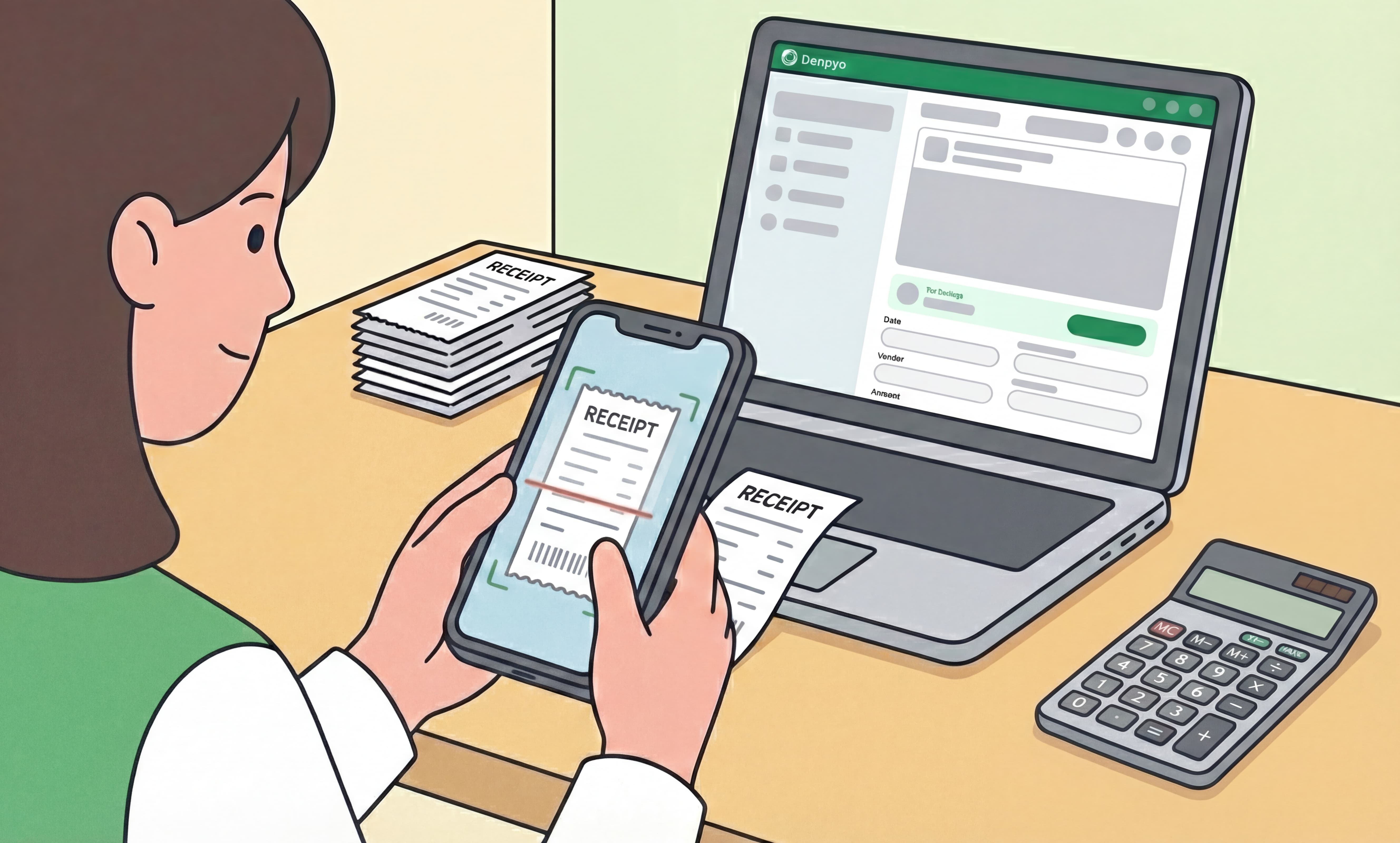
Dedicated receipt management apps like Denpyo make storing receipts a 30-second daily habit. Snap a photo, and AI handles the rest — categorization, timestamps, and organized storage that meets all legal requirements.
How it works:
- Photograph receipt with your phone
- AI automatically categorizes the expense
- Timestamp and searchable storage are automatic
- Export CSV to your accounting software when needed
Why this works best:
- All electronic storage requirements automatically met
- AI auto-categorization saves time
- 30-second daily habit — no learning curve
- Export to accounting software (freee, Moneyforward, etc.) via CSV
4.4 Common Misunderstandings
Myth 1: "I must digitize all my paper receipts and throw away the originals"
Truth: Paper receipts you physically received can stay as paper. You don't need to digitize them.
Myth 2: "I must use cloud storage; local storage is illegal"
Truth: External drives and local servers are fine if they meet the security and searchability requirements.
Myth 3: "Smartphone photos of receipts don't count"
Truth: Photos are acceptable as long as you include date/time information with them.
5. Receipt Management Best Practices
5.1 Paper Receipt Organization System
Daily routine:
- Immediately file receipts: Staple or clip together. Arrange chronologically. Input details into accounting software same day
- Monthly organization: Envelope labeled "February 2026 - Supplies". Separate by expense category if preferred. Store in accessible location
- Annual archival: File box labeled "Fiscal Year 2025 (Apr 2025 - Mar 2026)". Store in cool, dry place. Keep for minimum 7 years
Pro tip: Scan fading receipts to PDF immediately to prevent loss of information.
5.2 Digital Receipt Organization System
Email receipts:
- Create labels/folders by month ("Receipts_2026-02")
- Use Gmail starred feature to flag important invoices
- Periodically export to PDF and back up
- Never rely solely on email (accounts can be deleted)
PDF and download receipts:
- Download immediately
- Rename file with date and description: "2026-02-15_AWS_Services_105.pdf"
- Store in organized folder structure
Cloud storage structure example:
Denpyo Receipt Management
├── 2026 (Year)
│   ├── 01-January
│   │   ├── Office Supplies
│   │   ├── Travel & Transport
│   │   ├── Utilities
│   │   └── Other
│   ├── 02-February
│   │   └── ...
│   └── ...
├── 2025 (archive)
│   └── ...
└── Important (invoices to keep longer)
5.3 Integration with Accounting Software
Recommended workflow:
- Photograph receipt — Use phone camera or scanner
- Upload to accounting software — freee, Moneyforward, etc.
- Verify auto-categorization — AI suggests category; you confirm
- Software auto-timestamps — Automatic compliance with electronic law
- Export for tax filing — Direct to tax return forms
This method automatically satisfies all electronic storage requirements.
6. Frequently Asked Questions
Q1: After 5 years (or 7 years for blue return), can I throw receipts away?
A: Generally yes, once the retention period expires. However:
- Count from the filing date, not the expense date
- Example: If you filed March 15, 2025 for fiscal year 2024, keep receipts until March 15, 2032 (7 years)
- If legal disputes arise (e.g., customer payment disputes), keep longer for protection
Q2: Do I need to keep both digital and paper copies?
A: No. Keep one or the other, not both.
- Paper receipt received → Keep as paper
- Digital receipt received → Keep in digital format
- Exception: If you scanned a paper receipt, you can discard the original
Q3: What if receipts are in a foreign language (English, Chinese, etc.)?
A: No problem. Foreign language receipts are acceptable.
However, be prepared to explain the content if questioned during an audit.
Q4: For business trips, do I need receipts for everything?
A: Mostly yes, but with exceptions:
- Required: All meal, hotel, and transportation receipts
- Not required: Per diem/daily allowance (出張手当) — instead keep a travel diary
Q5: I just discovered I lost an important receipt. What do I do?
A: Act quickly. Options:
- Request reissue from merchant: Call within 3 months of purchase; many will reissue
- Gather alternative proof: Bank statement, credit card statement, confirmation email
- Consult a tax professional: For significant amounts, professional guidance is wise
Q6: Are screenshots of digital receipts acceptable?
A: Yes, if they include timestamps.
Include the date and time. Better yet, use apps that automatically add timestamps.
7. What If You Face a Tax Audit?
7.1 Audit Probability for Freelancers
Freelancers and sole proprietors face approximately 1-3% audit probability annually.
Probability increases if:
- Annual income exceeds ¥10 million
- Expense ratio is unusually high (above 90%)
- Receipts appear inconsistent with reported income
- You've had multiple correction filings in past years
7.2 During the Audit: Showing Receipts
When a tax examiner audits your records, they will:
- Ask to see receipts for specific expenses
- Check consistency (dates, amounts, vendors)
- Verify that expenses are business-related
- Cross-reference with your tax return
If you cannot produce receipts:
- That expense will be disallowed (not recognized as deductible)
- Your taxable income increases
- You'll owe back taxes plus interest
To prepare for audits:
- Organize receipts by category and date
- Keep clear notes about what each expense was for
- Be ready to explain any large or unusual expenses
- Consider working with a tax professional
8. 2026 Updates and Ongoing Changes
8.1 Electronic Bookkeeping Law: Ongoing Evolution
The Electronic Books Preservation Act continues in 2026. The government is considering:
- Modest relaxation of timestamp requirements
- Simplified scanning standards
- Continued focus on data integrity
8.2 Invoice System (Inbound) Impact
The "Qualified Invoice System" (インボイス制度), introduced October 2023, affects what you must document:
- Vendor's tax registration number
- Tax rate (8% or 10%)
- Distinction of qualified vs non-qualified invoices
Summary
Receipt storage is as critical as filing your tax return for freelancers and sole proprietors in Japan.
Key Takeaways:
- Storage periods are clear: Blue return filers: 7 years. White return filers: 5 years
- Multiple document types are valid: Paper receipts, digital receipts, bank statements, IC card records, credit card statements
- Digital storage is recommended and increasingly required: Electronic Books Preservation Act applies to digital transactions. Cloud storage + accounting software = easiest compliance. Searchability and timestamps are essential
- No receipt? You have limited options: Gather alternative documentation. Request reissue from merchant. Act quickly to minimize damage. Consult a professional for large amounts
- Stay audit-ready: Organized receipts mean peaceful audits. Modern storage systems provide automatic compliance. Tax professionals can help with complex situations
2026 Tax Filing Deadline: March 16, 2026
Start organizing your receipts today!

Track expenses, maximize deductions
Denpyo scans your receipts and finds tax savings automatically.